To associate a brand with a product.
HelpCenter
About this training
We are here to help
Having troubles making a decision about this training ?
contact_support Ask us anythingPrestaShop offers you the opportunity to associate a brand with a product.
To access it: Catalogue > Products
How to create a brand?
Before associating a brand with a product, create a brand in your store. To learn everything about brand creation, do not hesitate to consult this tutorial.
Why associate a brand with a product?
The association of a brand with a product is paramount as it allows users to identify all the products of a selected brand on your site.
Thus, by providing information about the brands, your users can access the brand that interests them.
How to associate a brand with a product?
- Refer to the product sheet in question.
- In the "Essentials" tab, proceed to the "Brand" section.
- Click on the dropdown menu "Choose a brand"
- Click on "Save"
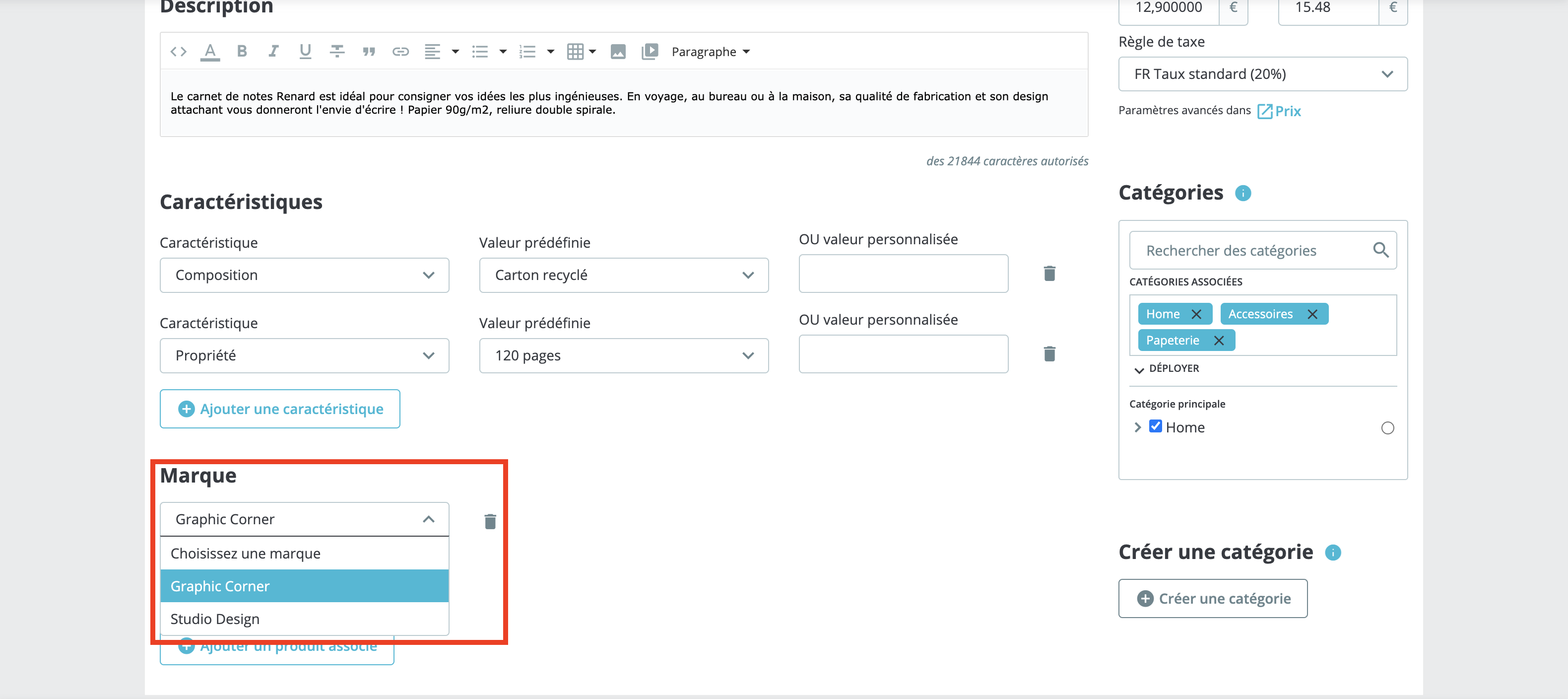
The brand is associated with your product!
⚠️ This article has been translated by a machine translation program.