Create a catalog price rule.
HelpCenter
About this training
We are here to help
Having troubles making a decision about this training ?
contact_support Ask us anythingPrestaShop allows for the application of a price reduction to a group of products.
To access it: Catalog > Discounts.
What is a catalog price rule?
As its name implies, this type of rule applies to a set of products - and not to a single product. If you need to apply a promotion to a single product, you must use a cart rule.
Catalog price rules allow you to create a discount by category, brand, supplier, attribute, or feature.
PrestaShop provides you with the ability to create different types of discounts. You can create a discount based on a given amount (€10 off from a €50 order, for example), or a percentage (20% for Mother's Day). You can also offer a gift to customers with their order.
Example: with a catalog price rule, it is possible to set up a discount so that Spanish customers belonging to the "registered customers" group are entitled to a 10% discount on the "electronic equipment" category during the first week of July.
| 💡 Of course, you can combine all these rules. |
How to create a catalog price rule?
List of catalog price rules
The "Catalog Price Rules" tab, accessible from the Catalog > Discounts page, is presented as follows:
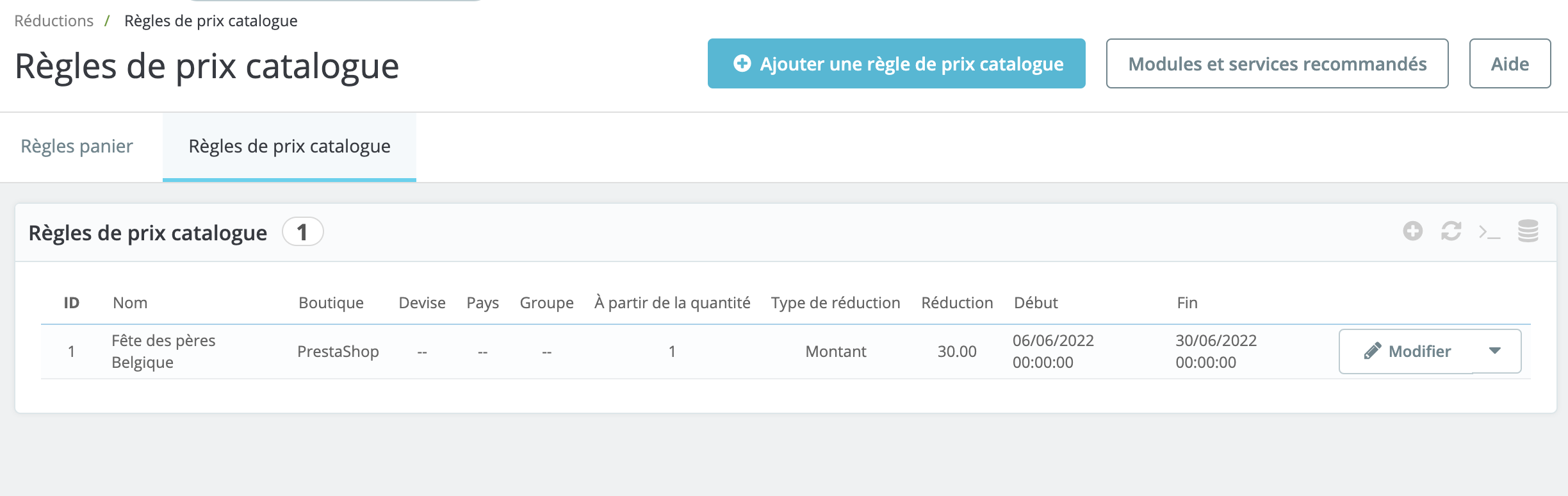
It lists the catalog price rules that have already been created. You can modify them at any time by clicking on the icon represented by a pencil.
| 💡 If you wish to deactivate a catalog price rule, simply change its end date to a date prior to today - for example, by setting it to yesterday's date. |
Catalog price rule creation form
The catalog price rule creation form is as follows:
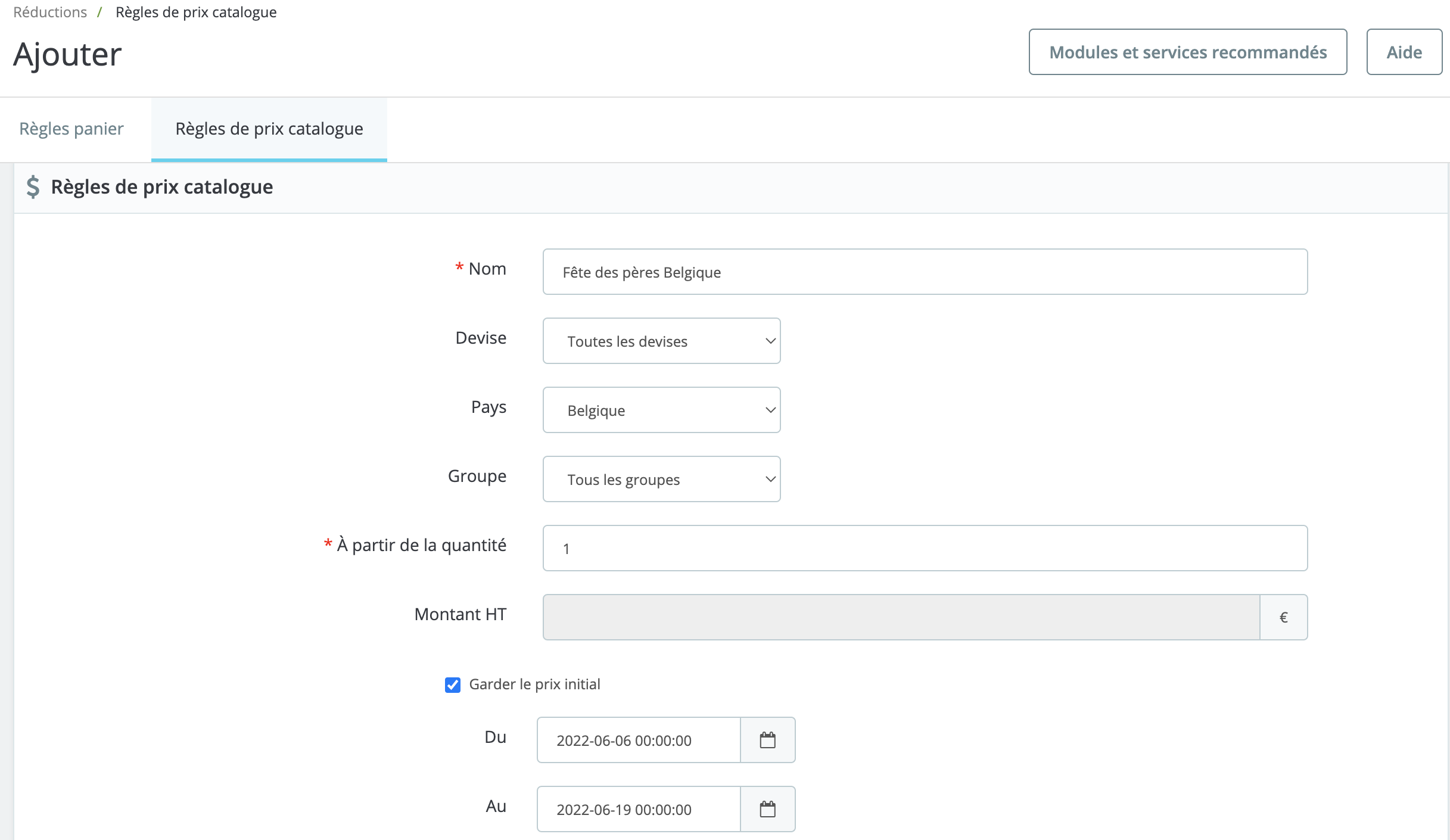
- Name: the name of your promotion as it will appear to the public.
- Currency: the rule only applies if the customer purchases using a given currency.
- Country: the rule only applies if the customer is from a given country.
- Group: the rule only applies if the customer belongs to a given group.
- From the quantity: the rule only applies if the order has at least a given number of corresponding products.
- Amount excluding tax: the new price of the product before tax. If you fill in fields 8 to 10, this field is optional.
- From / To: the rule only applies during this period.
- Type of discount: you may choose either a percentage or a specific amount.
- Discount with or without taxes: the rule is subject to tax or not.
- Discount: the percentage or amount of your discount.
Click on 'Save' to validate your new catalog price rule.
⚠️ This article has been translated by a machine translation program.